


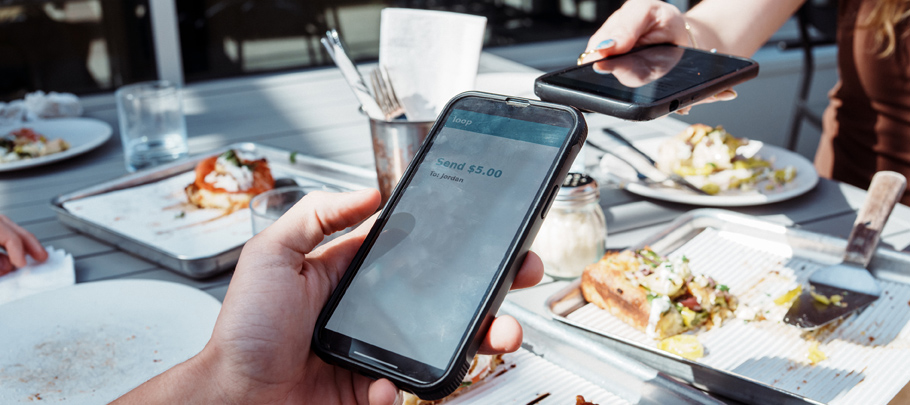
The check arrives after dinner, and one person offers to put it on their card. Now everyone else needs an easy way to pay them back.
Whether you’re sharing the cost of a dinner or just paying the babysitter, Zelle® offers a convenient way to send money to people you know and trust. There’s no need to have cash on hand or split the payment amongst several cards.
First, Get Started with Zelle®
Online Bill Pay and automatic payments are helpful for recurring expenses, while Zelle® can be an easy option when you need to pay someone directly.
Zelle® is already available in the First Mid Mobile app —no extra app needed. Simply log in and:
- Select Move Money in the toolbar.
- Select Zelle®, then Send Money with Zelle®.
- Choose the email address or U.S. mobile number you want to enroll.
- Select the account you want to pay and receive from.
You’ll receive a one-time verification code by email or text. Enter the code in the app to complete your enrollment.
Once you’re set up, you can send or request money, review your activity, and manage recipients.
When It’s Time to Pay or Get Paid
Let’s return to that dinner. Your friend covered the check, so you simply select them from your contacts or add them using their enrolled U.S. mobile number or email address.
You can also use a Zelle® QR code:
- To send money: Scan the recipient’s Zelle® QR code.
- To receive or request money: Share your personal Zelle® QR code from your profile.
Helpful Tip: a Z logo by your contact’s name means they’re already enrolled. If not, they’ll receive instructions to enroll. Once you’re both enrolled, money is typically available within minutes,* so double-check the details before you send.
Before You Tap Send
Zelle® is designed for sending money to people you know and trust, such as family members, friends, roommates, personal trainers, or neighbors. Avoid using it to pay strangers or unfamiliar online sellers. If you don’t recognize the recipient or aren’t confident about the reason for the payment, don’t send it.
When you’re ready to pay, take a moment to confirm three things:
- Is the recipient’s displayed name correct?
- Did you enter the right amount?
- Is the note or payment purpose accurate?
New recipient—or it’s been a while? Confirm their enrolled email address or U.S. mobile number directly with them. All good? Tap Send.
A Cybersecurity Reminder
Your email address and mobile number are part of your digital identity, so be thoughtful about where, and with whom, you share them. Keep one-time verification codes, banking passwords, and account PINs private.
If someone you know unexpectedly asks for money, especially if the request feels urgent or out of character, pause and call them using a number you already have to confirm it’s legitimate.
Wondering how scammers got your number? Learn why spam calls and texts are so common—and what you can do about them.
* To send or receive money with Zelle®, both parties must have an eligible checking or savings account. Transactions between enrolled users typically occur in minutes.
Zelle® and the Zelle® related marks are wholly owned by Early Warning Services, LLC and are used herein under license.