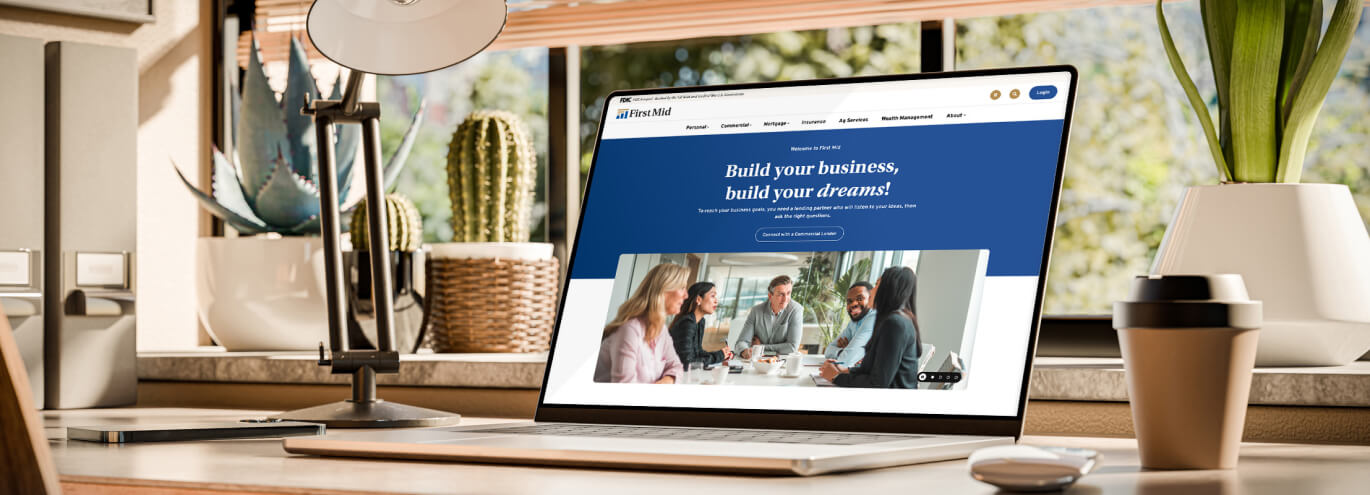
Welcome! Enjoy your upgraded website experience. It’s designed with you in mind, so you can find what you need quickly and easily. Here’s a simple guide to the main features.
1. Location Button - The gold navigation button helps you find First Mid locations and ATMs near you - view them on a map, in a list view, or get more details on individual location pages. See #1 in the image below.
2. Search Button -The gold magnifying glass button lets you search for anything on our site. For convenience, our Routing Number and NMLS Number are right below the search bar. See #2 in the image below.
3. Login Button - Log in to Personal Online Banking, or choose the dropdown menu to select another account type. See #3 in the image below.
4. Menu Button (mobile and tablet only) - On smaller devices, tap this button to open the main menu. See #4 in the image below.
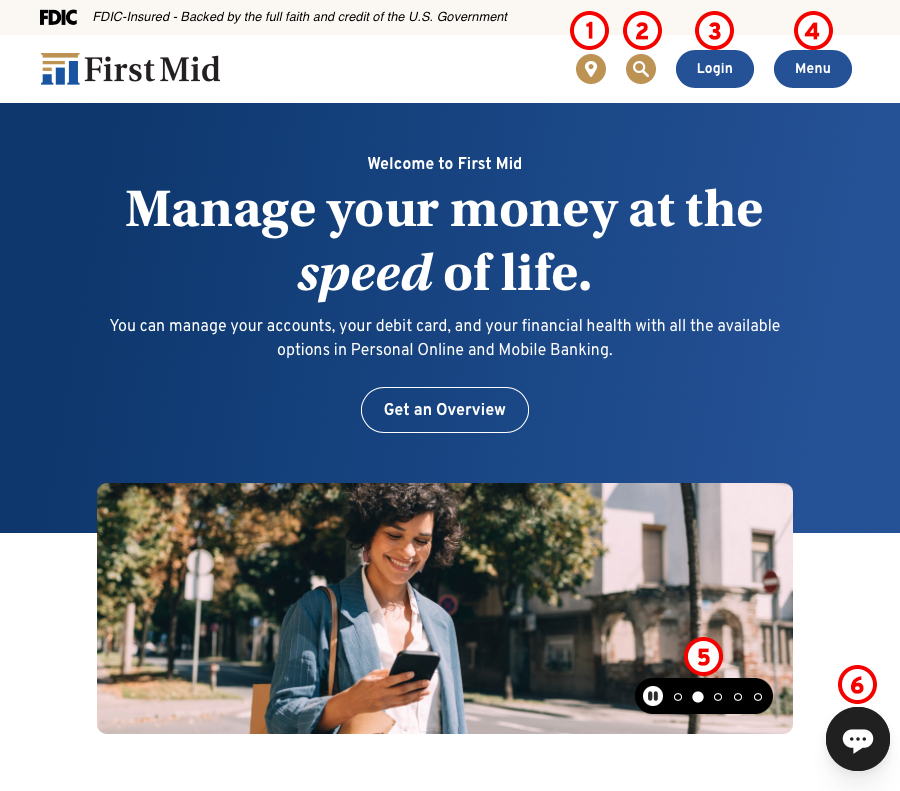
5. Player Controls - Our homepage messages rotate automatically - or you can pause and click through at your own pace. See #5 in the image above.
6. Chat Feature - Need help? Chat with our Customer Support team during normal business hours. See #6 in the image above.
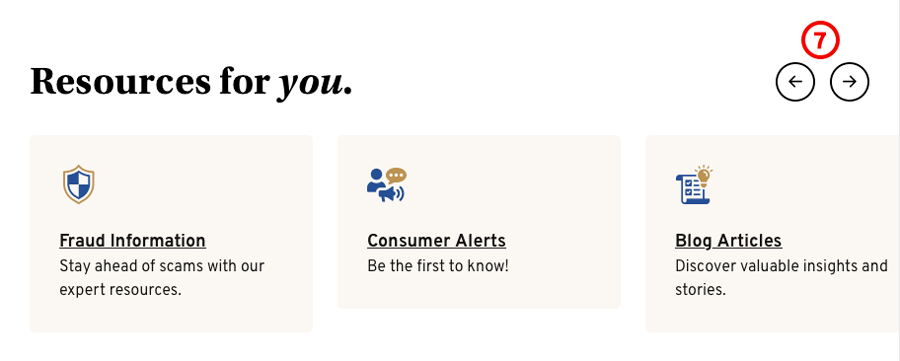
7. Scroll Arrows - Use the left and right arrow to browse through additional tiles and resources. See #7 in the image below.
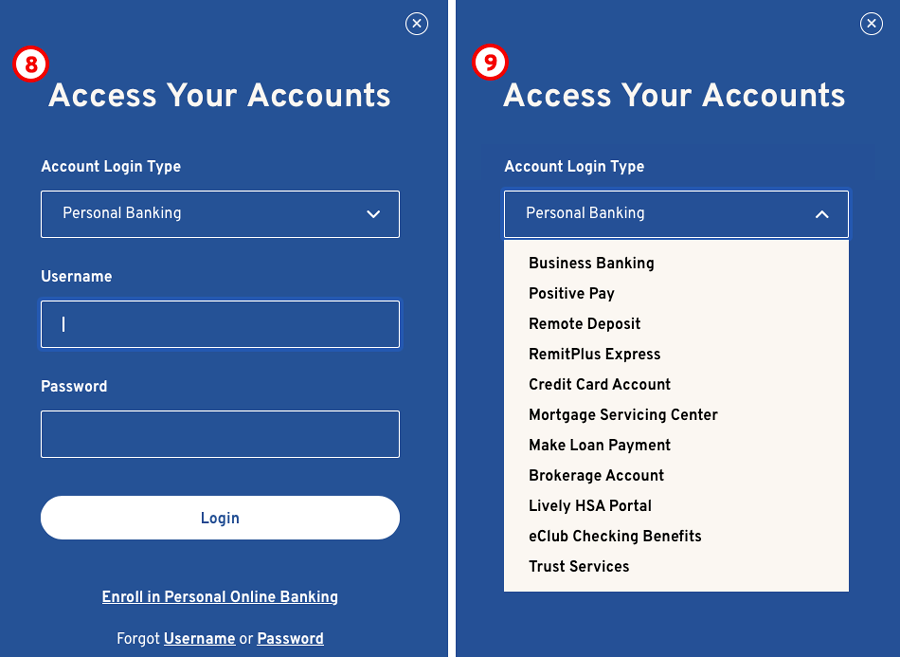
8. Login Box - The login box opens to Personal Banking by default. See #8 in the image below.
9. Login Options - Use the dropdown menu to select a different account type to access its login screen. See #9 in the image above.
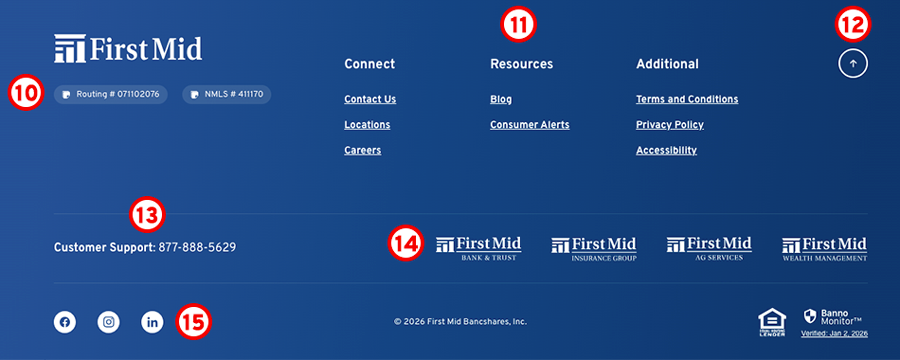
10. Routing Number - Our Routing Number and NMLS Number have a "quick copy" feature for easy copy and paste needs. See #10 in the image below.
11. Quick Links - Quickly access important resources from anywhere. On mobile, the menu opens and closes with a tap. See #11 in the image below.
12. Return to Top Button - Click the up arrow to return to the top, no scrolling. See #12 in the image below.
13. Customer Support Number - Need to talk with a First Mid Customer Support representative? Our number is on every page. See #13 in the image above.
14. First Mid Logos - Footer logos link to each First Mid service. See #14 in the image above.
15. Social Buttons - Stay connected with First Mid on Facebook, Instagram, and LinkedIn. Access our pages on these social platforms with a click. See #15 in the image above.